
Copilot Can See More Than You Think. Are Your Files Ready?
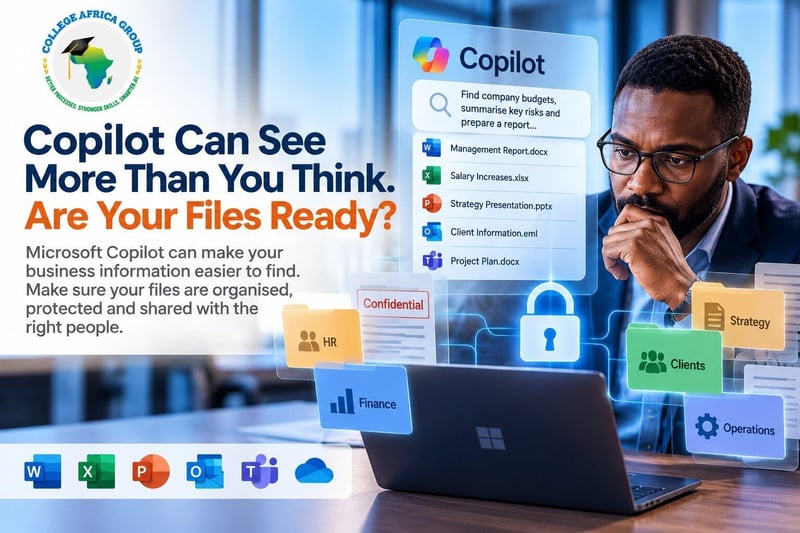
CAG Executive Question of the Week - If Microsoft Copilot searched every document an employee is authorised to access tomorrow, would you be comfortable with what they might find?
Businesses are investing in Microsoft 365 Copilot to help employees find information, summarise documents, prepare reports and work more efficiently. But there is a question many executives should ask before expanding access to AI: Are our company files properly organised, protected and shared with the right people?
The answer may be more important than the technology itself.
Microsoft Copilot Does Not Need to Break Security to Expose a Problem
Microsoft 365 Copilot is designed to respect the access permissions already assigned to employees.
That sounds reassuring. However, it assumes those permissions are correct.
Consider a business where employees have accumulated access to SharePoint folders, Teams channels and shared documents over several years.
A finance employee may still have access to confidential management reports from a previous role. An HR spreadsheet may be stored in a folder shared more widely than intended. People who no longer need them may be able to access commercial proposals containing sensitive pricing information.
These are existing information-management weaknesses.
Microsoft Copilot does not need to bypass security controls to make such information easier to discover. Where an employee is authorised to access a document, Copilot may be able to find, reference or summarise its contents, depending on the configuration and context.
The real risk is not necessarily what Copilot can access. It is what your employees could already access without management realising it.
The Spreadsheet Nobody Was Supposed to Find
Imagine a company preparing to introduce Microsoft Copilot to its management team.
Over the years, employees have created hundreds of Excel workbooks containing budgets, salary calculations, supplier prices, customer information and financial forecasts.
Some files are stored in personal OneDrive folders. Others sit in Teams channels or SharePoint document libraries. Sharing permissions have changed as employees moved between departments.
Now imagine an employee asking Copilot about salary increases or departmental budgets.
If relevant documents are accessible to that employee, Copilot may help surface information that previously required considerable manual searching.
The underlying access problem existed long before Copilot arrived.
AI simply makes information discovery more efficient.
That is useful when permissions are correct. It becomes a business risk when they are not.
Five Questions Executives Should Ask Before Expanding Copilot
Before investing further in Microsoft Copilot licences and training, management should establish whether the organisation understands its information environment.
Who can access confidential files? Review permissions for financial, HR, customer and commercially sensitive documents.
Where is business information stored? Identify important files across SharePoint, Teams, OneDrive and other repositories.
Are employees sharing documents appropriately? Examine broad sharing links, inherited permissions and access granted to former project teams.
Who owns the information? Assign responsibility for reviewing sensitive documents and approving access.
Can employees recognise an AI-related information risk? Train staff to handle confidential material responsibly and validate AI-generated answers.
These questions should involve business managers, information owners and IT—not IT alone.
Better File Governance Comes Before Better AI Productivity
There is a temptation to treat Microsoft Copilot implementation as a software rollout.
Purchase licences. Enable access. Show employees how to write prompts.
But introducing AI into poorly governed information environments can amplify existing weaknesses.
A more effective approach begins with business processes.
Identify the information employees need to perform their jobs. Establish who should have access to it. Review how documents are created, stored, shared and maintained.
Only then should organisations determine where Copilot can deliver measurable value.
This does not mean every file must be perfect before Copilot can be introduced. It means organisations should identify and address material risks, particularly around sensitive information, before broad deployment.
Training Must Include Human Judgement
Even when file permissions are correct, Copilot responses still require human validation.
An AI-generated summary may omit important qualifications. A financial comparison may overlook assumptions. A response may reference outdated information.
Employees must understand that finding information quickly is not the same as establishing that it is accurate, current or appropriate to share.
Responsible Microsoft Copilot training should therefore combine practical workplace applications with confidentiality awareness, POPIA considerations, critical thinking and verification against original source documents.
The objective is not simply to teach employees how to ask better questions.
It is to help them make better business decisions using information they are authorised to access.
The College Africa Group Perspective
At College Africa Group, we believe successful AI adoption begins with better business processes, stronger workplace skills and responsible information management.
Microsoft Copilot can support productivity across Excel, Word, Outlook, Teams and other Microsoft 365 applications. However, organisations must understand their existing workflows, document-sharing practices and employee capabilities before expecting meaningful improvements.
Our practical Microsoft Copilot corporate training focuses on real workplace tasks, responsible AI use and human validation.
https://collegeafricagroup.com/microsoft-copilot-training-south-africa/?utm_source=chatgpt.com
Before asking what Copilot can do with your company information, ask whether that information is properly managed in the first place.
Learn more about Microsoft Copilot Training in South Africa from College Africa Group.
Better Processes. Stronger Skills. Smarter AI.
Release information
Issued on behalf of
College Africa Group
Media contact
College Africa Group
Arnold Muscat